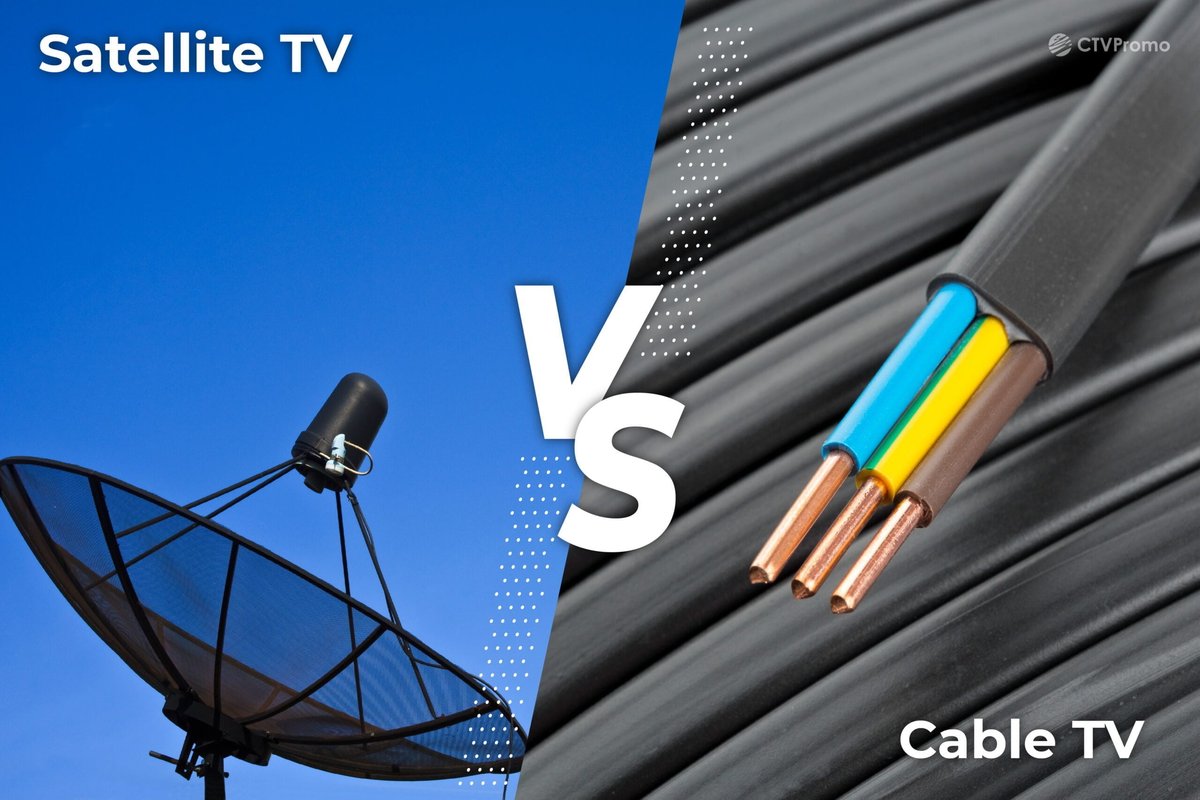
The way we watch television has transformed dramatically, evolving from a handful of local channels to an almost infinite universe of content available on demand. But with so many options now at your fingertips, understanding the nuances of Broadcast, Cable & Satellite TV — and their internet-powered cousins — isn't just about choosing what to watch, it's about making smart decisions that can save you a significant amount of money each month.
Consider the stark difference: a basic streaming package might run you around $45 a month, while a traditional cable TV bundle in a city like Dallas could easily hit $145. That's a hundred-dollar swing just for accessing your favorite shows. The shift in how content reaches our screens has created a dynamic, sometimes confusing, landscape. We're here to demystify it, helping you pinpoint the best viewing strategy for your household.
At a Glance: Your TV Viewing Options
- Four Core Types: Your TV content arrives via Satellite TV, Cable TV, IPTV, or OTT Streaming.
- Wired vs. Wireless: Cable uses physical wires; Satellite is wireless (until it hits your home); IPTV and OTT use your internet connection.
- Broadcast vs. Internet: Cable and Satellite broadcast a real-time signal. IPTV and OTT use internet protocol for on-demand access.
- Cost Varies Wildly: From free (with an antenna or basic streaming) to over $100/month for premium packages.
- Internet is King for Modern TV: IPTV and OTT services are entirely dependent on a stable, fast internet connection.
- Location Matters: Some services are better suited for urban areas, others for rural.
- Flexibility vs. Stability: Streaming often means no contracts; traditional services usually involve commitments.
The Evolving Landscape of Home Entertainment
For decades, "watching TV" meant flipping through channels delivered by either an antenna or a cable running into your house. Satellite dishes broadened the reach, especially for those beyond cable's physical grasp. These methods, still very much alive, rely on a "broadcast" model: content is sent out, and you tune in to watch it live.
But the internet changed everything. Today, a significant portion of our viewing experience flows through the web, introducing new delivery mechanisms that offer unparalleled flexibility and choice. This shift has not only expanded what we can watch but also how and when we consume it, transforming television from a scheduled event into a personalized library.
Understanding the Four Pillars of TV Delivery
Let's break down the fundamental ways television content finds its way to your screen. Think of them as two main families: the traditional "broadcast networks" and the newer "internet networks."
Broadcast & Legacy Systems: The Stalwarts
These methods operate much like traditional radio — a signal is sent from a central point, and your equipment picks it up. You're tuning into a real-time stream of content.
1. Cable TV: The Wired Workhorse
- How it Works: Cable TV delivers content directly to your home through a dedicated coaxial cable network. This physical infrastructure, often a hybrid fiber-coaxial (HFC) system, is laid underground or strung on poles, directly connecting your home to the provider's headend. When you "tune in" to a channel, you're accessing a specific frequency within this network.
- Key Characteristics:
- Providers: Major players include Time Warner Cable (now Spectrum), Comcast, Cox, and others.
- Reliability: Generally very stable, offering high-quality video (HD and 4K) with no buffering, thanks to dedicated lines. However, physical line damage (e.g., from construction or weather) can cause localized outages.
- Availability: Primarily found in urban and suburban areas where the dense population justifies the extensive infrastructure investment.
- Equipment: Requires a cable box, often rented from the provider for $5-$10/month.
- Installation: Usually simple if wiring already exists, connecting the cable box to the wall outlet.
2. Satellite TV: The View From Above
- How it Works: Satellite TV beams programming via radio waves from geostationary satellites orbiting Earth. Your home needs a satellite dish (typically mounted on the roof or side of the house) with a clear view of the southern sky to receive these signals. The dish converts the radio waves into a signal that's sent to an indoor satellite receiver, which then decodes it for your TV.
- Key Characteristics:
- Providers: DirecTV and DISH Network are the dominant forces in the US.
- Reliability: Offers a constant broadcast, ideal for remote areas. However, its Achilles' heel is severe weather (heavy rain, snow, or even dense fog), which can obstruct the signal ("rain fade") and cause temporary outages. Obstructions like new trees or buildings can also block the signal.
- Availability: Excellent nationwide coverage, making it a popular choice for rural areas where cable infrastructure is non-existent.
- Equipment: Requires a satellite dish and a receiver, with equipment packages sometimes costing $100-$200 upfront or financed.
- Installation: Often requires professional installation to correctly mount and aim the dish.
Internet-Powered Viewing: The Modern Frontier
These services deliver content using Internet Protocol (IP), essentially treating video like any other data that flows across the internet. This model allows for on-demand access, where you request specific content rather than waiting for it to be broadcast.
3. IPTV (Internet Protocol Television): The Managed Connection
- How it Works: IPTV also delivers TV content over the internet, but here's the crucial distinction: it uses a privately-managed network. Think of it as a dedicated digital highway for TV content, owned and controlled by the service provider. This managed Content Delivery Network (CDN) ensures consistent, high-quality video because the provider can prioritize its own TV traffic, reducing congestion. Programming is stored on servers, allowing for on-demand features like pause, play, and rewind live TV, or watching previously aired shows.
- Key Characteristics:
- Providers: Often offered by traditional internet service providers (ISPs) that have built out their own dedicated IP networks, such as CenturyLink (Prism TV) or AT&T (U-verse).
- Reliability: Generally high-quality video with fewer interruptions than pure OTT streaming due to the managed network. It can still slow down during overall internet peak hours if the provider's network capacity is strained, but is far less susceptible to general internet congestion.
- Availability: Requires broadband internet from the specific provider offering the IPTV service.
- Equipment: Typically requires a set-top box provided by the service.
- Installation: Relatively simple, assuming you already have the provider's broadband internet installed.
4. OTT (Over-The-Top) Streaming: The Open Internet Advantage
- How it Works: OTT streaming delivers content "over the top" of the open, unmanaged internet. Unlike IPTV's private highway, OTT uses the public roads of the internet. Services like Netflix, YouTube, Hulu, and countless others store their programming on servers, and when you click "play," the data streams to your device over your standard internet connection. This is why a fast, reliable internet connection is paramount for OTT.
- Key Characteristics:
- Providers: A vast and ever-growing array, including Netflix, Hulu, Disney+, Amazon Prime Video, YouTube TV, Sling TV, Apple TV+, and many more. Many internet providers like Viasat, AT&T, and Spectrum bundle their internet with OTT services.
- Reliability: Highly dependent on your internet speed and network congestion. Buffering is common with slow connections or during peak viewing hours when everyone in your area is online. ISPs' data caps (even on "unlimited" plans) can also limit viewing, especially for heavy users.
- Availability: All you need is a device (laptop, phone, smart TV, streaming box like Roku or Apple TV) and an internet connection.
- Equipment: Minimal. Your existing devices are often sufficient; streaming TV boxes enhance the experience.
- Installation: Easiest of all – just download an app or navigate to a website.
A Head-to-Head Showdown: Comparing Your TV Choices
Now that we understand the basics, let's put these four delivery methods side-by-side to highlight their practical differences. This will help you weigh the pros and cons for your specific needs.
Availability: Where Can You Watch?
- Cable TV: A solid choice for urban and suburban dwellers where the physical fiber-coaxial network is readily available. If you're off the beaten path, cable might not even be an option.
- Satellite TV: The undisputed champion for virtually nationwide coverage in the US, making it ideal for rural areas as long as you have a clear line of sight to the southern sky for the dish.
- IPTV: Requires broadband internet from a specific provider that offers the service. If your preferred IPTV provider isn't in your area, or you don't use their internet service, it's a non-starter.
- OTT Streaming: The most ubiquitous. If you have any internet connection (even mobile data), you can stream. This makes it accessible almost anywhere, provided your connection is fast enough.
Cost: Your Monthly Budget Impact
This is often the deal-breaker, and prices can vary wildly. Remember the Dallas example: $45 for OTT vs. $145 for cable.
- Cable TV: Generally the highest cost. Basic packages might start around $20/month, but comprehensive bundles with internet and phone from providers like Comcast can easily climb past $100, often starting at $39.99/month for TV alone. Equipment rental fees ($5-$10/month per box) add up.
- Satellite TV: Often lower than cable and more transparently priced. DirecTV, for example, might offer introductory rates around $69.99/month for 24 months. Equipment costs can be upfront or rolled into the monthly fee.
- IPTV: Rates are comparable to cable TV and are subscription-based. Like cable, they often come as part of a bundle with internet and phone, which can make direct cost comparisons tricky.
- OTT Streaming: Offers the lowest entry point. Many services are as low as $5/month (e.g., Apple TV+), and a significant amount of content is available for free (YouTube, Peacock free tier, Pluto TV, Tubi). Even a robust selection of services can be curated for under $50/month. The trick is to avoid signing up for too many.
Quality & Reliability: What to Expect When You Watch
Nobody likes buffering or outages, especially during a big game or the season finale.
- Cable TV: Delivers high-quality video (HD, 4K) with virtually no buffering due to its dedicated lines. Service is reliable with a stable signal, though physical line damage can cause outages for a neighborhood or larger area.
- Satellite TV: Provides a constant broadcast and offers HD and 4K content. However, severe weather (heavy rain, snow) and physical obstructions can degrade or interrupt the signal.
- IPTV: Offers high-quality video with fewer interruptions than OTT because of its privately managed CDN. While generally robust, service can occasionally slow down during peak network usage if the provider's overall capacity is strained.
- OTT Streaming: Highly subject to your internet speed. Buffering is common with slow connections or during peak hours. If your internet goes down, so does your TV. Be aware of data caps from your ISP; even "unlimited" plans can throttle speeds after a certain usage threshold, impacting video quality.
Programming & Content: What's On and When?
This is where your personal viewing habits truly come into play.
- Cable TV: Offers hundreds of channels, including solid local and national staples (ABC, CBS, NBC, Fox), news, entertainment, sports, and family programming. Shows are available on their release date and are typically accessed in real-time.
- Satellite TV: Comparable to cable in channel breadth, also available on release date. Often boasts a broader overall channel selection, more sports packages (NFL Sunday Ticket on DirecTV, NBA League Pass, MLB Network), and a wider array of international and premium movie channels (HBO, Showtime, Cinemax).
- IPTV: Features view-on-demand capabilities, meaning shows are available on their release date, but you can also pause, play, and rewind live TV or access a library of past programming. It blends the real-time aspect of broadcast with the flexibility of internet delivery.
- OTT Streaming: A vast choice of providers, each with its own original programming (e.g., Netflix Originals, Amazon Prime Video series) that rivals traditional cable offerings. While you can find most shows, some content remains exclusive to cable or satellite for a period, only reaching OTT platforms at the end of a season or much later. Live TV streaming services (like YouTube TV or Sling TV) bridge this gap by offering linear channels over the internet.
Equipment & Installation: Getting Setup
From dishes to dongles, the hardware requirements vary significantly.
- Cable TV: Requires a cable box for each TV. These are typically rented, adding to your monthly bill.
- Satellite TV: Needs a satellite dish and one or more satellite receivers for each TV. Equipment packages can be pricey upfront, but sometimes discounts apply with service contracts.
- IPTV: Requires a set-top box for each TV, provided by the service.
- OTT Streaming: The most flexible. You can use your laptop, phone, smart TV, or a dedicated streaming TV box like Roku, Apple TV, Amazon Fire Stick, or Google Chromecast. No specific service-provided hardware is typically necessary beyond your own devices.
User Experience: How Easy is it to Use?
An intuitive interface can make all the difference in enjoying your entertainment.
- Cable TV: Generally offers a seamless and user-friendly experience with intuitive on-screen guides (Electronic Program Guides - EPGs) for channel surfing and DVR management.
- Satellite TV: Also provides a user-friendly experience with comprehensive EPGs and advanced DVR features, often allowing recording multiple shows simultaneously.
- IPTV: Typically offers a modern, interactive user interface with advanced search, recommendations, and integrated on-demand libraries that feel very much like a streaming service.
- OTT Streaming: Varies by app, but generally very intuitive and highly personalized. Algorithms learn your preferences, offering tailored recommendations. The biggest "challenge" can be navigating between many different apps and interfaces if you subscribe to several services.
Making Your Choice: Key Factors to Consider
With a clear picture of each option, let's look at the practical considerations that will guide your decision.
Your Location Matters
- Rural Living: If you're in a remote area without access to high-speed cable internet, Satellite TV is likely your most robust option for broad channel selection. If you have decent fixed-wireless or satellite internet, then OTT streaming becomes a viable secondary choice, though potentially with data limits.
- Urban/Suburban Living: You'll likely have access to Cable TV, IPTV, and of course, fast internet for OTT streaming. Your decision here will hinge more on cost, content, and desired flexibility.
Budgeting for Entertainment
- Cost-Conscious: If saving money is your top priority, OTT streaming (perhaps combined with a digital antenna for local channels) will offer the lowest monthly spend. Be disciplined about which services you subscribe to.
- All-Inclusive: If you prefer a single bill and a massive channel lineup, traditional Cable or Satellite TV might appeal, but be prepared for a higher price tag.
- Hidden Costs: Always factor in equipment rental fees, installation charges, and potential early termination fees for contracts.
Your Internet Connection is Key
For IPTV and OTT streaming, your internet speed isn't just a convenience; it's a necessity.
- Minimum Speeds: For reliable HD streaming, you'll want at least 5-10 Mbps per simultaneous stream. For 4K, aim for 25 Mbps or more per stream.
- Data Caps: Be mindful of these, especially if you plan to stream a lot of 4K content, which consumes vast amounts of data. Some ISPs impose caps even on "unlimited" plans, slowing your service once you exceed a threshold.
What Do You Actually Watch?
- Live Sports Fan: Satellite TV often boasts the most comprehensive live sports packages. Cable and some Live TV OTT services (like YouTube TV or Sling TV) are also strong contenders, offering real-time broadcasts.
- On-Demand Binger: OTT streaming services are tailor-made for this. You choose what to watch, when you want it, commercial-free (on premium tiers). IPTV also offers strong on-demand features.
- Specific Channels: If there's one or two must-have channels, check which providers carry them. Sometimes, niche content is only available on specific cable or satellite packages.
- Local Channels: An often-overlooked factor. Traditional Cable and Satellite TV include local affiliates. For OTT, dedicated live TV streaming services will carry them, or you can often get them for free with a simple digital antenna.
Flexibility vs. Stability
- No Contracts, No Hassle: OTT streaming is the epitome of flexibility. Subscribe monthly, cancel anytime. Perfect for trying new services or cutting costs during periods of low usage.
- Long-Term Commitment: Cable and Satellite TV often involve contracts (12-24 months) to get the best introductory rates, usually with early termination fees. This provides price stability but reduces flexibility.
Bundling Benefits (and Drawbacks)
Many providers offer packages that combine TV, internet, and phone services.
- Pros: Can sometimes lead to cost savings compared to subscribing to each service individually, and simplifies billing.
- Cons: Can lock you into services you don't fully need and make it harder to switch components individually. If one part of the bundle goes up in price, your whole bill increases.
Common Questions & Misconceptions
Let's clear up some lingering doubts.
Is Traditional Cable Truly Dead?
Far from it. While "cord-cutting" is a real trend, millions still rely on cable for its reliable signal, comprehensive channel lineups, and often seamless integration with their internet and phone services. It offers a consistent experience without needing to worry about internet speeds or data caps for TV content.
Can I Get Local Channels Without Cable?
Absolutely. The simplest and often cheapest way is a digital antenna (often called an HDTV antenna). It's a one-time purchase, and you get all available over-the-air local broadcast channels (ABC, CBS, NBC, Fox, PBS, etc.) for free, in high definition. Many Live TV OTT streaming services also include local channels as part of their package.
What's the Difference Between IPTV and OTT Again?
Think of it like this:
- IPTV is like taking a private, managed highway with dedicated lanes for video. The provider controls the traffic to ensure smooth delivery. (Example: AT&T U-verse)
- OTT is like taking the open public road (the general internet). Your video traffic competes with everything else – emails, gaming, web browsing – and its quality depends entirely on how fast and clear that road is. (Example: Netflix, Hulu)
Both use the internet, but the underlying network management is the key differentiator.
Are "Unlimited" Internet Plans Truly Unlimited for Streaming?
Often, no. While many plans are advertised as "unlimited," read the fine print. Some ISPs implement a "Fair Usage Policy" or "Soft Data Cap," where after you consume a certain amount of data (e.g., 1TB or 1.2TB), your speeds might be throttled or prioritized lower during peak times. For heavy 4K streamers, this can lead to buffering or reduced quality. Always check your ISP's specific terms.
The Future is Now: Blending Your Viewing Habits
The reality for many households isn't choosing just one of these options, but blending them. You might have:
- A digital antenna for free local news and events.
- A primary OTT streaming service (like Netflix or Max) for on-demand movies and original series.
- A live TV OTT service (like Sling TV or Hulu + Live TV) for specific sports or news channels that aren't on your basic streaming subscriptions.
- Perhaps even a traditional cable or satellite subscription for a specific sports package or if internet reliability is an issue in your area.
This "a la carte" approach allows for maximum customization but requires a bit more management to avoid subscription bloat.
Your Next Step to Smarter TV Viewing
Navigating the world of television delivery might seem complex, but armed with this knowledge, you're ready to make informed choices that perfectly match your viewing habits and budget. No single option is "best" for everyone; it's about finding the right fit for you.
Start by assessing your current viewing habits: What channels do you actually watch? How much live TV do you need? What's your internet speed? Then, compare the options available in your specific area. You might be surprised at how much you can save, or how much more content you can access, by making a switch.
Ready to dive deeper into the world of home entertainment? Explore all things TV to find more guides and tips for optimizing your setup. The perfect viewing experience awaits!