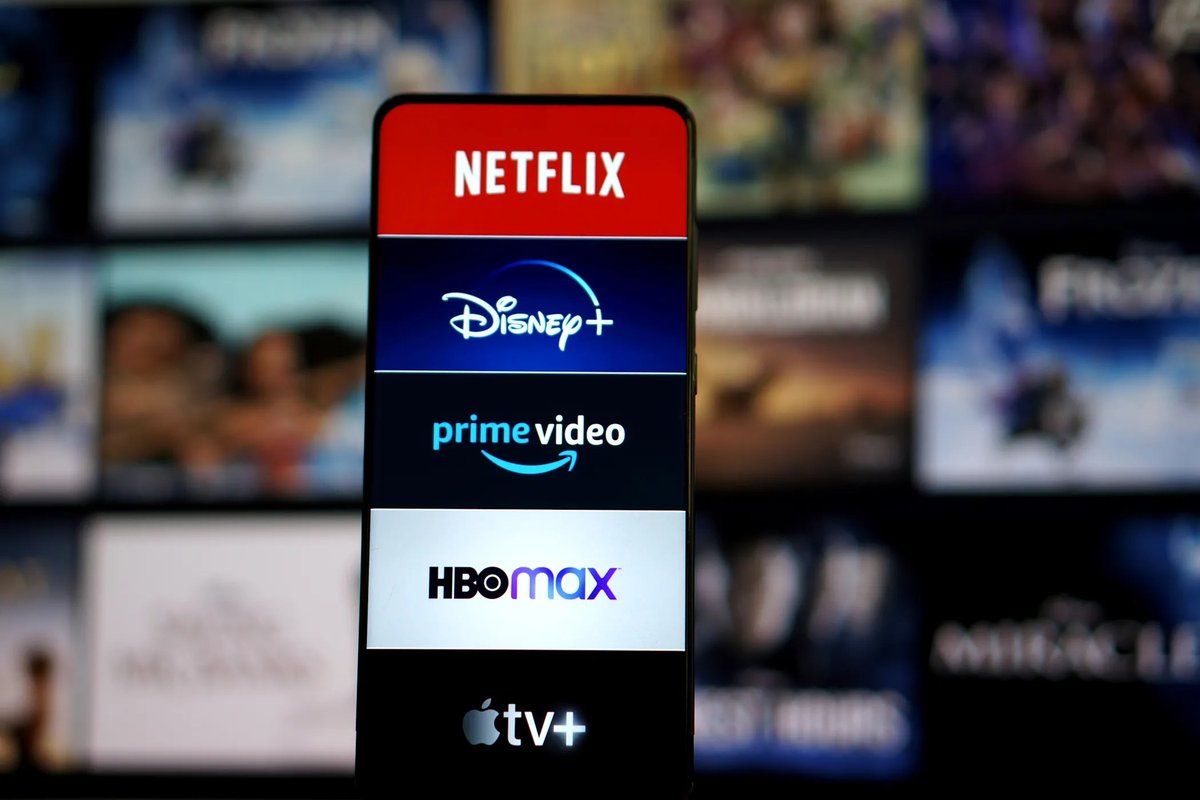
The way we watch TV has fundamentally changed. Gone are the days of rigid cable schedules and limited options. Today, we live in a world overflowing with Streaming Services & Platforms, each vying for your attention (and subscription dollars). It's a fantastic era of choice, offering unparalleled flexibility to watch what you want, when you want, and where you want.
But here’s the catch: that freedom comes with a dazzling, often overwhelming, array of choices. From on-demand movie libraries to live sports and everything in between, the landscape of streaming can feel like a jungle. How do you find your perfect entertainment fit without breaking the bank or drowning in options? As a seasoned journalist who's navigated this digital frontier for years, I'm here to cut through the noise and help you build a streaming lineup that genuinely serves your viewing habits and budget.
At a Glance: Your Smart Streaming Strategy
- Costs Add Up Fast: While cheaper than cable individually, multiple subscriptions can quickly exceed your budget. The average US household spends $61/month on four services.
- Prioritize Content Type: Decide if you mostly want on-demand movies/shows or live TV (news, sports, events).
- Harness Free Trials: Almost every service offers a free trial – use them to test content, interface, and device compatibility.
- Budget First: Set a monthly spending limit and stick to it. Don't pay for what you don't watch.
- Consider Bundles: Many services offer significant savings when combined (e.g., Disney Bundle).
- 4K and RSNs Cost Extra: Expect to pay more for higher resolution or specific regional sports coverage. Always check with your zip code.
- Rotate Subscriptions: Embrace a "churn and burn" strategy; subscribe to one service, watch its exclusives, then cancel and move to another to save money.
The Streaming Revolution: Why We're Here (and Why It's Complicated)
For years, cable was the undisputed king of home entertainment. Then came Netflix, changing the game with its on-demand library, followed by a wave of competitors eager to claim their piece of the pie. This shift was fueled by a desire for flexibility, personalized content, and, initially, the promise of lower costs. No more paying for hundreds of channels you never watched, right?
The reality, however, has become more nuanced. As every major studio launched its own streaming platform, content fragmented. That favorite movie might be on Max one month, then disappear to Paramount+ the next. Exclusivity became the new battleground, forcing viewers to subscribe to multiple services just to access their desired shows. What started as a cost-saving alternative can now easily accumulate into significant monthly expenses – sometimes even more than the cable bill it sought to replace.
The good news? You have the power to control your streaming destiny. It just takes a little strategy.
Navigating the Streaming Maze: Your Core Decision Criteria
Before you even think about signing up for a single service, let's establish a framework for making smart choices. Think of this as your personalized pre-flight checklist for the streaming universe.
What Kind of Content Do You Crave? On-Demand vs. Live TV
This is arguably the most fundamental question. Do you primarily want to:
- Binge-watch series and movies whenever you want? You're looking for on-demand services like Netflix, Prime Video, Hulu (without Live TV), Apple TV+, Max, Disney+, Paramount+, or Peacock Premium. These offer vast libraries you can access 24/7.
- Watch live news, sports, or network shows as they air? You need a Live TV streaming platform like Hulu + Live TV, YouTube TV, DirecTV Stream, Sling TV, or fubo. These mimic traditional cable, offering linear channels over the internet, often with DVR capabilities.
Some services, like Hulu + Live TV, beautifully blend both, giving you the best of both worlds. Understanding your preference here will immediately narrow down your options significantly.
Budgeting for Your Binge: Understanding the Costs
Individually, most major on-demand services hover around $7-$10 per month. But remember, the average US household shelled out $61 per month for a total of four streaming services in 2023, according to a Deloitte report. That's a substantial chunk of change.
- Set a Hard Limit: Decide what you're genuinely comfortable spending each month. Is it $20? $40? $60?
- Monthly vs. Annual: Many services offer a discount if you pay annually upfront. If you know you'll use a service all year, this can be a smart saving move. For example, Hulu (Without Live TV)'s cheapest plans are around $79.99 annually, saving you over $10 compared to monthly.
- The "Churn and Burn" Method: This is your secret weapon against subscription fatigue and cost creep. Subscribe to a service for a month or two, binge all the shows you want, then cancel and move to another. This way, you rotate through content without constantly paying for multiple services you're not actively using.
Picture Perfect? The 4K Factor
If you have a 4K TV and want the best possible resolution, pay close attention to the fine print. Some services, like Max and YouTube TV, charge an extra fee for 4K streaming access. DirecTV Stream, however, doesn't add an extra charge for 4K. Always confirm this detail if visual fidelity is a priority for you.
Catching the Game: Regional Sports Networks (RSNs) & Live TV
For many sports fans, the biggest hurdle to cutting cable is losing access to local team games. These are often carried on Regional Sports Networks (RSNs). Live TV streaming services vary wildly in their RSN coverage.
- Check Your Zip Code: This is non-negotiable. Every live TV streaming service will have a "check availability by zip code" tool on their website. Use it to see exactly which RSNs and local broadcast channels (ABC, CBS, FOX, NBC) you'll receive.
- DirecTV Stream is a standout here, known for carrying over 30 RSNs, making it a strong contender for hardcore regional sports fans.
- Sling TV is a budget-friendly option but notably does not carry RSNs and has limited local channel selection.
- YouTube TV and Hulu + Live TV offer some RSNs, but might be missing key ones like Bally Sports.
Trial and Error: The Power of Free Trials
This is perhaps the most underutilized tool in your streaming arsenal. Almost every major streaming service, with the notable exceptions of Netflix and Max, offers a free trial (typically 7 to 30 days).
- Test Drive Everything: Use these trials to explore the content library, get a feel for the user interface, check device compatibility, and see if it truly fits your viewing habits before committing.
- Set Reminders: Mark your calendar a day or two before the trial ends to decide if you want to keep or cancel.
Bundles & Add-ons: Expanding Your Horizons
No single streaming service offers absolutely everything, but many provide bundles or add-ons that can significantly expand your content selection and often save you money compared to subscribing to each service individually.
- The Disney Bundle: A popular choice in the U.S., combining Disney+, Hulu, and ESPN+ for substantial savings.
- Max's B/R Sports Add-on: Currently free as a promotion, but typically $9.99/month, adding a host of live sports to your Max subscription.
These options can be great value if you genuinely use all components of the bundle or add-on.
Expert Picks: Top Streaming Services & Platforms for Every Need
To help you cut to the chase, here are our expert recommendations for the best streaming services in various categories, pulling from industry analysis and extensive testing:
- Best Overall On-Demand: Netflix (extensive, diverse library, impressive originals, strong recommendations).
- Best Overall Live TV: Hulu + Live TV (seamlessly blends live TV with on-demand from Hulu, Disney+, and ESPN+).
- Best Value Streaming Platform: Amazon Prime Video (comes with a full Prime membership, offering music, gaming, reading, and fast delivery alongside streaming).
- Best for Original Content: Apple TV+ (praised for its high-quality, prestige original series and films).
- Best for HBO Fans: Max (the undisputed home for HBO's acclaimed content, plus a large Warner Bros. library).
- Best for Disney Fans & Families: Disney+ & Disney Bundle (essential for Marvel, Disney, Pixar, and Star Wars content).
- Best for Recently Aired Content (U.S. & Japan): Hulu (Without Live TV) (new episodes appear quickly after airing on traditional TV).
- Best for RSN Coverage (Live TV): DirecTV Stream (carries over 30 Regional Sports Networks).
- Best Budget Live TV Platform: Sling TV (customizable, affordable plans, though with limited local and RSN coverage).
- Best Channel Selection (Live TV): YouTube TV (known for its extensive array of channels and unlimited DVR).
- Best for Sci-Fi Fans: Paramount+ (home to Star Trek and a growing selection of genre content).
- Best for NBC Fans: Peacock Premium (the destination for NBCUniversal content, including many live events).
- Ideal for Sports Fans (general, live & on-demand): fubo (generous channel selection, carries many RSNs, unlimited DVR, 10 simultaneous streams).
- Sports Streaming Service (on-demand & some live): ESPN+ (good for college sports, can be bundled, but limited NFL/NBA games and not a replacement for the main ESPN channel).
Deep Dive: A Closer Look at Key Paid Streaming Platforms
Now, let's peel back the layers on some of the most popular services, highlighting their distinct features, pros, cons, and pricing details.
Netflix: The Original Powerhouse
- The Appeal: Still the king for many, Netflix boasts an enormous, diverse content library, consistently churning out impressive original series and films. Its recommendation engine is top-tier, making it easy to discover new favorites.
- The Catch: No free trial. The "Standard with ads" plan (around $84 annually) might miss some content. Most significantly, its password-sharing crackdown now charges $7.99 per person per month for extra members not living in the household (for Standard and Premium plans).
- Who it's for: Binge-watchers, fans of diverse genres, anyone looking for an extensive library of both licensed and original content.
Hulu (Without Live TV): Catch-Up TV King
- The Appeal: Offers a generous 30-day free trial (ad-supported plan). It's the best place to catch new episodes of many network shows quickly after they air, often the next day.
- The Catch: Available only in the U.S. and Japan. Cheapest plans start around $79.99 annually with ads, or pricier for ad-free.
- Who it's for: Viewers who follow current network TV shows and want to watch them on their schedule without live TV.
Amazon Prime Video: Value Beyond Streaming
- The Appeal: A full Amazon Prime membership offers incredible value far beyond streaming, including Amazon Music, Prime Gaming, Prime Reading, and crucially, fast delivery. It also offers a 30-day free trial (6 months for students).
- The Catch: Ads are now often present by default (requiring an upgrade for ad-free viewing), and the interface can feel poorly organized, making content discovery a chore. A monthly plan is approximately $108 per year.
- Who it's for: Existing Amazon Prime subscribers looking for an "included" streaming bonus, or anyone who values the vast ecosystem of Prime benefits.
Disney+ & Disney Bundle: Family-Friendly Magic
- The Appeal: The ultimate destination for fans of Marvel, Disney, Pixar, Star Wars, and National Geographic. In the U.S., bundling with Hulu and ESPN+ offers substantial savings.
- The Catch: The standalone "Basic with ads" option costs around $96 per year. Without the bundle, its content is very specific, so it might not appeal to everyone.
- Who it's for: Families, Disney loyalists, Marvel Cinematic Universe devotees, and Star Wars saga fans.
Apple TV+: Quality Over Quantity
- The Appeal: Praised for its consistently high-quality, prestige original content (think "Ted Lasso," "Severance," "For All Mankind"). You often get 3 months free with a new Apple device purchase, plus a standard 7-day free trial.
- The Catch: It has a relatively small content library compared to giants like Netflix or Max, and its monthly price can feel more expensive given the limited selection.
- Who it's for: Viewers prioritizing critically acclaimed original series and films, especially those already invested in the Apple ecosystem.
Max (formerly HBO Max): Premium Content Powerhouse
- The Appeal: Synonymous with quality, Max is the home of HBO's legendary original content, plus a vast library from Warner Bros. (DC Universe, Cartoon Network, TCM). It boasts approximately 3,300 shows and movies. It currently offers a B/R Sports add-on ($9.99/month) for free as a promotion.
- The Catch: It's relatively expensive at $99.99 per year with ads, and 4K streaming costs extra. There is no free trial.
- Who it's for: Serious cinephiles, fans of prestige drama, anyone who wants access to HBO's unparalleled catalog.
Hulu + Live TV: Blended Entertainment
- The Appeal: This service offers the best of both worlds: live TV channels plus the full on-demand libraries of Hulu, Disney+, and ESPN+. It also includes unlimited DVR.
- The Catch: It carries fewer Regional Sports Networks (RSNs) than some competitors and is notably missing AMC, which can be a dealbreaker for fans of shows like "The Walking Dead."
- Who it's for: Cord-cutters who want a comprehensive package of live TV, on-demand movies, and sports, especially families.
DirecTV Stream: RSN Champion
- The Appeal: A dream come true for sports fans, carrying over 30 RSNs. It also offers unlimited DVR, a broad channel selection (including PBS), and an impressive 20 simultaneous home streams. There's no extra fee for 4K.
- The Catch: It is generally quite expensive, making it a premium option.
- Who it's for: Die-hard sports fans who cannot miss their regional teams, or larger households needing many simultaneous streams.
Sling TV: The Budget-Friendly Live TV Option
- The Appeal: Sling TV is highly customizable and budget-friendly, starting with a selection of popular channels. It often has promotions, like a free digital antenna or the first month at half price.
- The Catch: It does not carry RSNs and has a limited selection of local broadcast channels. You'll need an antenna for full local channel access.
- Who it's for: Cost-conscious cord-cutters who want basic live TV channels and are willing to compromise on RSNs and extensive local channel coverage.
YouTube TV: Channel Rich and DVR Heavy
- The Appeal: Known for its extensive channel selection and truly unlimited DVR, allowing you to record as many shows as you want and keep them for a certain period.
- The Catch: It has limited RSN coverage (e.g., Bally Sports is missing for many) and charges an extra fee for its 4K Plus add-on.
- Who it's for: Viewers prioritizing a wide range of live TV channels and robust DVR capabilities, less concerned about niche RSNs.
Paramount+: Sci-Fi and Sports Hub
- The Appeal: CBS's dedicated streaming service, it's a haven for sci-fi fans (especially Star Trek universe content). It also offers live sports feeds, including NFL games on CBS and the UEFA Champions League. The Essential plan is affordable.
- The Catch: To access local CBS stations live, you need to subscribe to the pricier full package.
- Who it's for: Star Trek aficionados, fans of CBS shows, and soccer fans (UEFA Champions League).
Peacock Premium: NBCUniversal's Home
- The Appeal: The exclusive home for NBC content, Peacock offers a good content selection, over 50 channels, and an affordable starting price. Annual plans offer savings equivalent to two months.
- The Catch: Its free tier was removed in 2023. Local NBC channels are typically part of the pricier Premium Plus tier.
- Who it's for: Fans of NBC, Bravo, Syfy, and other NBCUniversal properties, especially those wanting access to live sports (like Premier League soccer) and current events.
Beyond the Paid Giants: Free & Niche Streaming Options
Don't have the budget for a monthly subscription? Or looking for something hyper-specific? The streaming world has you covered.
Free Streaming Services
For those on a tight budget, a growing number of ad-supported free streaming services offer a surprising amount of content:
- PlutoTV: A vast selection of "channels" mimicking traditional TV, plus on-demand movies.
- Tubi: A huge library of movies and TV shows across various genres, often featuring cult classics and B-movies.
- Crackle: Owned by Chicken Soup for the Soul Entertainment, offering movies and TV series.
- The Roku Channel: Available on Roku devices and online, with a mix of live channels and on-demand content.
- Freevee (Amazon): Amazon's free, ad-supported service with a decent selection of movies and TV, including some originals.
These can be fantastic complements to a single paid service or a primary source of entertainment if you're willing to watch ads.
Specialized Streaming Categories
The beauty of streaming is its ability to cater to every niche imaginable:
- Anime: Services like Crunchyroll, Hidive, and RetroCrush are essential for anime enthusiasts, offering vast libraries, often with simulcasts of new episodes from Japan.
- Horror: Shudder is a prime example of a service dedicated solely to horror films and series.
- Indie Films: Platforms like Vimeo offer a space for independent filmmakers, while Mubi curates a daily selection of arthouse films.
- Documentaries: MagellanTV and CuriosityStream are tailored for documentary lovers.
- Black Art: ALLBLK focuses on Black film and television.
- Local Media: Platforms like Plex allow you to stream your own local media content (movies, photos, music) from a server at home to any device.
- Gaming: Twitch remains the dominant platform for live streaming video games, esports, and creative content.
These specialized platforms prove that Streaming Services & Platforms offer something for truly everyone.
The VPN Question: Unlocking Geo-Restricted Content (and the Risks)
You might have heard about using Virtual Private Networks (VPNs) like NordVPN to bypass "geoblocks" and access content available only in other regions. This can be tempting if, say, a show you want to watch is only on the UK version of Netflix.
- How it Works: A VPN masks your actual IP address and makes it appear as if you're browsing from a different country.
- The Catch: Streaming services are increasingly cracking down on VPN usage. They've developed sophisticated detection methods, often blocking IP addresses known to belong to VPN providers.
- Recommendation: While VPNs can work for some services some of the time, there's no guarantee. If you're considering a VPN specifically for streaming, always test it with a free trial of the VPN service before committing, and be prepared for it to stop working unexpectedly.
Your Action Plan: Stream Smarter, Not Harder
The world of Streaming Services & Platforms is rich and rewarding, but it demands a strategic approach. You don't need every service, and you certainly shouldn't pay more than you did for cable.
- Define Your Must-Haves: What specific shows, movies, sports, or channels are absolutely non-negotiable for you? Start there.
- Set Your Budget: Determine your maximum monthly spend and stick to it.
- Prioritize On-Demand or Live TV: Let this fundamental choice guide your initial selection.
- Embrace Free Trials: Don't pay until you've tried it.
- Master the "Churn and Burn": Rotate your subscriptions. Binge what you want, cancel, and move on. This is the most effective way to save money and experience a broader range of content over time without accumulating costs.
- Review Regularly: Put a reminder in your calendar every 3-6 months to review your subscriptions. Are you still watching everything you're paying for? If not, cut it!
- Explore Bundles & Free Options: Look for value-packed bundles or leverage free services to supplement your paid subscriptions.
By following these steps, you won't just be consuming content; you'll be curating your own personalized entertainment ecosystem. Take control, save money, and enjoy the vast universe of shows and movies at your fingertips. For even more detailed insights into optimizing your home viewing, check out Your ultimate TV guide. Happy streaming!