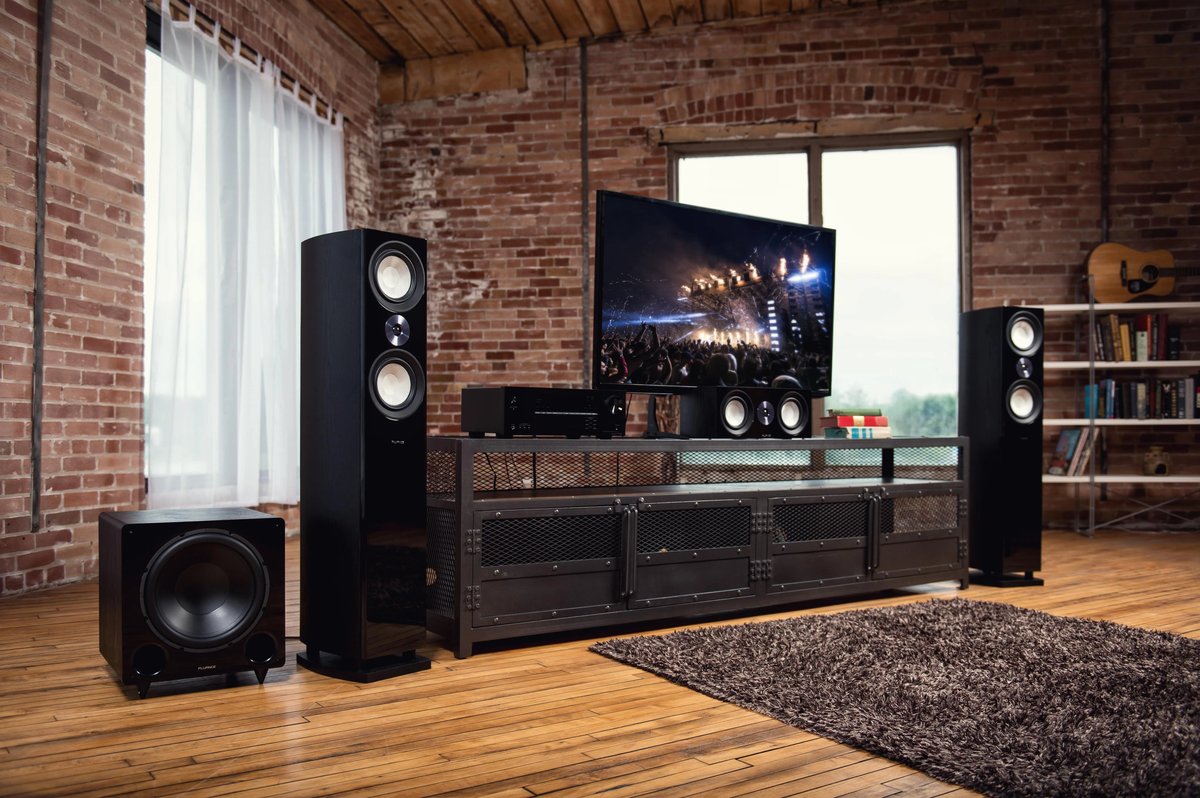
You just bought a brilliant new TV, or perhaps you're looking to revitalize the one you have. The picture is crisp, colors pop, and the sheer size of it might be impressive. But here's the secret: without the right TV accessories & home theater setup, you're only experiencing a fraction of its true potential. Think of it like buying a high-performance sports car but only driving it in second gear – it looks great, but it’s not delivering the thrill it could.
Upgrading your home entertainment system isn't just about bigger screens or louder speakers; it's about crafting an immersive experience that transports you directly into the content, whether it's the roar of a dragon, the subtle dialogue of a gripping drama, or the intricate soundscape of your favorite game. This guide will walk you through transforming your living room from a place where you watch TV into a sanctuary for cinematic adventures, high-stakes gaming, and musical enjoyment.
At a Glance: Your Home Theater Upgrade Journey
- Start with Sound: Built-in TV speakers are almost always the weakest link. A soundbar or dedicated speaker system is your biggest upgrade.
- Optimize Video: Beyond the TV, consider calibration, proper viewing distance, and ambient lighting for the best picture quality.
- Smart Connectivity is Key: High-speed HDMI cables, reliable streaming devices, and network stability tie everything together.
- Beyond the Basics: Explore mounts, universal remotes, and cable management for aesthetics and convenience.
- Tailor to Your Space: Small apartment or dedicated theater room, there's a scalable solution for every environment and budget.
- It's a Process: Don't feel pressured to buy everything at once. Start with a core component and build from there.
Why Your TV Needs a Makeover: Beyond the Built-in Speakers
Let's be honest: modern TVs are engineering marvels for visual fidelity. They’re thinner than ever, boast stunning resolutions, and pack incredible processing power. Yet, there’s an inherent trade-off. To achieve those sleek profiles, manufacturers often compromise on speaker size and placement. The result? Audio that sounds thin, lacks bass, and struggles with dialogue clarity. Explosions might sound like muffled thumps, and quiet whispers can get lost in the mix.
A true home theater setup doesn't just compensate for these limitations; it transforms your viewing experience entirely. It fills your room with rich, dynamic sound, pulls you into the action with enveloping surround effects, and ensures every detail, from a rustling leaf to an orchestral crescendo, is heard with pristine clarity. It's about engagement – feeling the rumble of a distant storm, hearing footsteps creep up behind you in a game, or discerning every nuance in a musical performance.
Moreover, "home theater" isn't a term reserved for sprawling mansions with dedicated cinema rooms. It's a scalable concept. Even modest upgrades can yield dramatic improvements, turning everyday TV watching into a genuinely enjoyable event.
First Things First: Understanding Your Space and Needs
Before you dive headfirst into buying gear, take a moment to assess your canvas: your living space and your viewing habits. This initial planning will save you headaches and ensure your investment truly pays off.
What Does Your Room Tell You?
- Size & Shape: A small bedroom will have different acoustic considerations and equipment needs than a large open-plan living room. Larger rooms might benefit more from a dedicated receiver and multiple speakers, while smaller spaces can thrive with a quality soundbar.
- Ambient Light: Is your room bathed in sunlight? You might prioritize TVs with higher brightness or projection screens designed to reject ambient light. If it's a dim, cave-like space, you have more flexibility.
- Furniture & Layout: Where can speakers go? Is there space for a media console? How far is your primary seating from the TV? These practicalities dictate your options.
- Acoustics: Hard surfaces (bare walls, tile floors) reflect sound, making it echoey. Soft surfaces (rugs, curtains, upholstered furniture) absorb sound, creating a more balanced listening environment. Don't worry, you don't need a professional sound studio, but understanding this helps manage expectations.
Defining Your Primary Use
Your ideal setup hinges on how you'll primarily use it:
- Movie Buff? You'll want immersive surround sound (5.1, 7.1, or Dolby Atmos), deep bass from a subwoofer, and potentially a larger screen or projector. Dialogue clarity is paramount.
- Avid Gamer? Low input lag on your TV, high refresh rates (120Hz+), and responsive audio are critical. Positional audio (hearing where enemies are coming from) is a huge advantage.
- Music Lover? Stereo sound quality might be your top priority. You might prioritize high-fidelity speakers and an amplifier that delivers clean, powerful audio.
- Casual Viewer? If you mostly watch news or reality TV, a good soundbar for improved dialogue and a touch more richness might be all you need. Simplicity and ease of use will be key.
Understanding these factors allows you to prioritize your budget and focus on the components that will make the biggest difference for you.
The Pillars of a Powerful Home Theater Setup
Every great home theater rests on a few fundamental components, working in harmony to create an unforgettable experience. Let's break them down.
Sound: Where the Magic Truly Happens
As mentioned, sound is often the most neglected aspect of a TV setup, yet it offers the most significant upgrade in immersion.
Soundbars: Simplicity Meets Performance
For many, a soundbar is the perfect entry point into better audio. It's a single, discreet unit (or a soundbar with a wireless subwoofer and sometimes satellite speakers) that dramatically outperforms your TV's built-in speakers.
- Pros: Easy to set up, minimal wires, space-saving, and a huge leap in sound quality over TV speakers. Many offer virtual surround sound or even true multi-channel audio with add-on speakers.
- Cons: Can't match the true separation and power of a dedicated multi-speaker system, especially for larger rooms.
- Types to Look For:
- 2.0 or 2.1: Basic stereo sound, with the ".1" indicating a separate subwoofer for bass. Great for dialogue and general TV watching.
- 3.1 or 5.1: Adds a dedicated center channel for clearer dialogue (3.1) and rear satellite speakers for true surround sound (5.1).
- Dolby Atmos Soundbars: These units feature upward-firing speakers that bounce sound off your ceiling to create a sense of height and overhead effects, offering a more three-dimensional audio experience.
AV Receivers & Speaker Systems: The Audiophile's Choice
For the most authentic, powerful, and customizable home theater experience, a dedicated AV receiver paired with individual speakers is the way to go.
- AV Receiver: This is the brain and heart of your system. It receives audio and video signals from all your sources (Blu-ray player, gaming console, streaming box), processes the audio, powers your speakers, and sends the video signal to your TV. Look for features like Dolby Atmos/DTS:X support, sufficient HDMI inputs (with HDMI 2.1 for future-proofing), and automatic room calibration.
- Speaker Components:
- Front Left & Right (L/R): These handle the main stereo soundstage. They can be bookshelf speakers (compact, versatile) or tower speakers (larger, full-range, ideal for music and large rooms).
- Center Channel: Crucial for dialogue! It sits directly below or above your TV, ensuring voices are anchored to the screen.
- Surround Speakers (Rear L/R): Placed to the sides or slightly behind your main listening position, these create enveloping ambient effects and directional sounds.
- Subwoofer: Delivers the low-frequency effects (LFE) – the rumble, explosions, and deep bass that you feel as much as hear.
- Height Speakers (for Dolby Atmos/DTS:X): These can be in-ceiling speakers, upward-firing modules placed on top of your front speakers, or integrated into specific speakers, creating a truly three-dimensional sound field.
Surround Sound Explained: 5.1, 7.1, Dolby Atmos
- 5.1 Surround Sound: This is the most common and accessible true surround setup. It consists of five speakers (Front L/R, Center, Surround L/R) and one subwoofer. It creates an excellent sense of immersion for movies and games.
- 7.1 Surround Sound: Adds two more speakers (Rear Back L/R) behind your listening position, offering a more refined and seamless surround experience, especially in larger rooms.
- Dolby Atmos & DTS:X: These are "object-based" audio formats that go beyond channel-based sound. Instead of assigning sounds to specific speakers (e.g., "this sound goes to the left surround"), they treat individual sounds as objects that can move freely in a 3D space. This requires height channels to create overhead effects, making it sound like rain is falling from the ceiling or a helicopter is flying directly above you. It's a game-changer for immersion.
Acoustic Treatment: The Often-Overlooked Secret
Even the best speakers can sound poor in a bad room. Acoustic treatment isn't about soundproofing; it's about managing reflections. Adding a thick rug, heavy curtains, bookcases, and even decorative wall art can significantly improve sound clarity and reduce echo. For serious enthusiasts, acoustic panels designed to absorb or diffuse sound can further refine the listening environment. You don't need a studio, but being mindful of soft surfaces helps immensely.
Video: Sharpening the Picture
While your TV is the star of the show, accessories and proper setup can make its performance shine even brighter. If you want to dive deeper into the world of displays, check out our guide on All about television.
The TV Itself: Quick Considerations
- OLED vs. QLED vs. LED:
- OLED: Known for perfect blacks, infinite contrast, and vibrant colors. Great for dark rooms and cinematic viewing. Can be prone to burn-in with static images over long periods (less common with modern TVs).
- QLED (Samsung's variation of LED): Uses quantum dots to enhance color and brightness. Excellent for bright rooms, less risk of burn-in.
- LED/LCD: Most common, varies widely in quality. Full-array local dimming improves contrast.
- Resolution (4K, 8K): 4K is the current standard. 8K is still nascent; while stunning, native 8K content is scarce, and the visual benefits are often imperceptible unless you have a very large screen and sit very close.
- Refresh Rates (60Hz, 120Hz): Crucial for smooth motion, especially for gaming. 120Hz TVs are ideal for current-gen consoles and PC gaming.
Projectors & Screens: For the Big-Screen Experience
Nothing beats the sheer scale of a projected image. If you crave a truly cinematic experience, a projector might be for you.
- Projector Types: DLP, LCD, and the newer Laser projectors (brighter, longer lifespan).
- Lumens: Measures brightness. More lumens mean a better picture in ambient light. Aim for 2,000+ for living rooms, less for dedicated dark rooms.
- Throw Distance: How far the projector needs to be from the screen. Short-throw and ultra-short-throw projectors can sit very close to the wall.
- Screens: Essential for a crisp, vibrant image. Materials vary to enhance brightness, contrast, or reject ambient light. A good screen can make a modest projector look amazing.
Calibration: Don't Trust Factory Settings
Out-of-the-box TV settings are rarely optimal. They're often designed to look "punchy" in a brightly lit showroom. A quick calibration (adjusting brightness, contrast, color, tint, sharpness) can unlock much better picture quality. You can find many online guides for basic calibration or even hire a professional calibrator for truly precise results. It's like tuning an instrument – it brings out its best performance.
Connectivity: The Brains of the Operation
A seamless home theater relies on robust connections. The right cables and accessories ensure your audio and video signals flow freely and without compromise.
HDMI Cables: Not All Are Created Equal
HDMI is the primary cable for high-definition audio and video. While many claim all HDMI cables are the same, there are crucial differences, especially with modern high-bandwidth content.
- HDMI 2.0: Supports 4K resolution up to 60Hz. Sufficient for most current 4K content.
- HDMI 2.1: Essential for 4K at 120Hz, 8K at 60Hz, and features like Variable Refresh Rate (VRR) for gaming and Auto Low Latency Mode (ALLM). If you have a PS5, Xbox Series X/S, or a high-end PC, and a compatible TV, HDMI 2.1 cables are a must.
- eARC (Enhanced Audio Return Channel): Found on HDMI 2.1, eARC is vital for sending high-bandwidth audio formats like Dolby Atmos from your TV's native apps (Netflix, Disney+) back to your soundbar or AV receiver using a single HDMI cable. Standard ARC often struggles with these formats.
- Length: For short runs (under 10-15 feet), most certified HDMI cables are fine. For longer runs, consider "active" or fiber optic HDMI cables to prevent signal degradation.
Optical vs. Coaxial vs. RCA
While HDMI has largely taken over, you might still encounter these:
- Optical (Toslink) & Coaxial Digital: Both transmit digital audio signals. They're good for stereo and basic surround sound (like Dolby Digital 5.1), but lack the bandwidth for lossless formats like Dolby TrueHD or Atmos. Useful for older devices or if your TV/soundbar lacks eARC.
- RCA (Red/White Analog): The classic stereo audio connection. Still used for older components or specific audio gear.
Wireless Solutions: Bluetooth, Wi-Fi, Casting
Wireless connectivity adds convenience but can introduce latency or compression.
- Bluetooth: Great for connecting wireless headphones or playing music from your phone to a soundbar. Be aware of potential audio compression.
- Wi-Fi Casting (Chromecast, AirPlay): Allows you to "cast" content from your phone or computer to your TV or smart speaker. Offers higher quality than Bluetooth for audio and video streaming.
- Wireless Surround Sound: Some soundbars offer wireless rear speakers or subwoofers, simplifying setup by eliminating long cable runs.
Power Protection: Surge Protectors and UPS
Don't underestimate the importance of protecting your expensive electronics.
- Surge Protector: A must-have. It shields your gear from power spikes that can cause catastrophic damage. Look for a protector with a high Joule rating.
- Uninterruptible Power Supply (UPS): More than just a surge protector, a UPS provides battery backup power. This gives you time to safely shut down your equipment during a power outage, preventing data corruption or sudden power cycling. Highly recommended for sensitive devices like AV receivers, projectors, or gaming consoles.
Essential TV Accessories to Elevate Your Setup
Beyond the core components, a host of accessories can refine your experience, making your home theater more aesthetically pleasing, user-friendly, and functional.
Mounts & Stands: Stability and Aesthetics
How you position your TV impacts both viewing comfort and room aesthetics.
- Wall Mounts:
- Fixed: Holds the TV flush against the wall. Clean look, but no adjustability.
- Tilt: Allows for a slight vertical tilt, useful for TVs mounted higher than eye level (e.g., above a fireplace).
- Full-Motion (Articulating): Offers the most flexibility, allowing you to pull the TV out, swivel it left or right, and tilt it. Ideal for corner mounting or if you watch from multiple seating positions.
- Key Consideration: Ensure the mount supports your TV's VESA pattern and weight. Professional installation is recommended for safety.
- TV Stands and Media Consoles: If wall-mounting isn't an option, a good TV stand is essential. Look for:
- Sturdy construction: Must support your TV's weight.
- Cable management features: Cutouts or channels to hide wires.
- Ventilation: Open shelves or perforated backs to prevent electronics from overheating.
- Storage: Space for your AV receiver, streaming devices, and media.
Streaming Devices: Your Content Gateway
While most smart TVs have built-in apps, a dedicated streaming device often offers a snappier interface, more consistent updates, and access to a wider array of services.
- Roku, Apple TV, Amazon Fire TV, Chromecast with Google TV: Each platform has its ecosystem, interface, and unique features.
- Roku: Known for its vast app library and simple interface.
- Apple TV 4K: Integrates seamlessly with Apple's ecosystem, excellent picture quality, and smooth performance.
- Amazon Fire TV: Deep integration with Amazon's services (Prime Video, Alexa).
- Chromecast with Google TV: Offers a personalized content-first interface and integrates with Google services.
- Gaming Consoles (PS5, Xbox Series X/S): These are powerful media hubs themselves, capable of playing 4K Blu-rays and streaming all major services, often with excellent performance.
Universal Remotes: Taming the Clutter
As your home theater grows, so does the remote control collection. A universal remote consolidates control, simplifying your experience.
- IR (Infrared) Remotes: Traditional line-of-sight remotes. Basic, affordable.
- RF (Radio Frequency) Remotes: Don't require line-of-sight, allowing you to hide your components in a cabinet. More advanced.
- Wi-Fi & Smart Home Remotes (e.g., Harmony, Caavo): These go beyond simple control, often allowing you to create "activities" (e.g., "Watch Movie" turns on TV, receiver, Blu-ray, and sets inputs automatically). Some integrate with smart home devices for lighting control.
Cable Management: The Unsung Hero
Nothing detracts from a clean setup faster than a spaghetti tangle of cables. Good cable management is about aesthetics, safety, and organization.
- Cable Sleeves/Wraps: Bundle multiple cables into a single, neat sleeve.
- Cable Ties/Velcro Straps: Securely group cables together. Velcro is reusable and adjustable.
- Cable Raceways/Concealers: Adhesive channels that run along walls or baseboards to hide cables entirely.
- In-Wall Cable Kits: For the cleanest look, allows you to run power and HDMI cables through the wall (check local building codes).
- Power Strips with Spaced Outlets: Accommodate bulky power adapters.
Headphones: Personal Immersion
For late-night viewing, gaming, or when others are in the room, a good pair of headphones offers a private, immersive experience.
- Wireless (Bluetooth, RF): Bluetooth is convenient for general use, but some systems use RF for lower latency and better range (especially for gaming). Look for models with comfortable earcups and long battery life.
- Noise-Canceling: Block out distractions, allowing you to focus purely on your content. Excellent for travel, but also beneficial in a noisy home environment.
- Spatial Audio/Virtual Surround Sound Headphones: Some headphones simulate a surround sound experience, useful for movies and games.
Smart Home Integration: Voice Control and Automation
Integrate your home theater with your broader smart home ecosystem for ultimate convenience.
- Voice Assistants (Alexa, Google Assistant, Siri): Control your TV, streaming device, and even switch inputs with voice commands.
- Smart Lighting: Dim the lights automatically when your movie starts, or change the color to match the mood of your content.
- Smart Plugs: Control lamps or other non-smart accessories with voice or automation.
- Motorized Shades/Curtains: Automatically close to create a dark viewing environment.
- IFTTT (If This Then That): Create custom automations, like "If my projector turns on, then dim the lights and close the blinds."
Setting Up Your Dream Home Theater: A Step-by-Step Guide
Don't be intimidated. Setting up a home theater is a logical process. Take it one step at a time, and you'll be enjoying cinematic bliss in no time.
1. Plan Your Layout: Speaker Placement and Viewing Distance
Before you even unbox everything, visualize where everything will go.
- TV/Projector: Center it for the main viewing area.
- Viewing Distance: For 4K TVs, a general rule of thumb is 1-1.5 times the screen size for an immersive experience. For example, a 65-inch TV is best viewed from 6.5-9.75 feet away.
- Main Listening Position (MLP): This is the sweet spot where you want the audio to sound best.
- Speaker Placement (5.1 Example):
- Front L/R: Equidistant from the TV, forming an equilateral triangle with your MLP. Aim them slightly towards the MLP.
- Center: Directly above or below the TV, aligned with the screen's center.
- Surrounds (L/R): To the sides or slightly behind your MLP, slightly above ear level.
- Subwoofer: Experiment! Bass can be tricky. Start in a front corner, then try moving it around (the "subwoofer crawl" method: place the sub at your MLP, then crawl around the room to find where the bass sounds best, then place the sub there).
- Cable Runs: Think about how you'll route cables neatly and safely.
2. Connect Everything: The Right Cables in the Right Ports
Now, unbox and connect your components.
- Sources to Receiver/Soundbar: Connect all your video sources (streaming device, Blu-ray player, game console) to the HDMI inputs on your AV receiver or soundbar. Use the appropriate HDMI cable (2.0 or 2.1).
- Receiver/Soundbar to TV: Connect a single HDMI cable from the HDMI output (labeled "Monitor Out," "ARC," or "eARC") on your receiver/soundbar to the corresponding HDMI input (preferably the eARC port) on your TV.
- Speakers to Receiver: For a dedicated speaker system, connect each speaker to its corresponding terminal on the AV receiver, paying close attention to positive (+) and negative (-) terminals on both the speaker and the receiver. Use good quality speaker wire.
3. Power On and Configure: Initial Setup and Input Naming
- Power Everything On: TV, receiver/soundbar, and your primary source.
- Follow On-Screen Prompts: Most modern AV receivers and soundbars have user-friendly setup wizards that guide you through initial configuration, network connection, and input assignments.
- Name Inputs: Rename the HDMI inputs on your TV and receiver (e.g., "PS5," "Apple TV," "Blu-ray") for easy identification.
4. Audio Calibration: Room Correction is Your Friend
This is where your system truly comes alive.
- Automatic Room Correction: Most AV receivers come with a setup microphone and built-in software (like Audyssey, YPAO, AccuEQ, MCACC). Place the microphone at your MLP (and often a few other spots), run the calibration, and let the system automatically adjust speaker levels, distances, crossovers, and EQ settings for your specific room. This is a crucial step!
- Manual Adjustments: After auto-calibration, you can fine-tune things like subwoofer level to your preference.
5. Video Optimization: Basic Picture Settings
- Picture Mode: Start with "Cinema," "Movie," or "Custom" mode, as these are usually the most accurate. Avoid "Vivid" or "Dynamic."
- Brightness/Contrast: Adjust brightness (black level) so blacks are deep but you can still see detail in dark scenes. Adjust contrast (white level) so whites are bright but not washed out.
- Color/Tint: Usually fine on default for movie modes, but you can subtly adjust if needed.
- Sharpness: Turn it down! Most TVs oversaturate sharpness, creating artificial edges. Set it to a low level (often 0-10 on a 100 scale).
- Motion Smoothing (Soap Opera Effect): Turn this OFF for movies and TV shows unless you prefer it. It creates an unnaturally smooth look. Keep it on for sports if you like.
6. Cable Management: Tidy Up!
Once everything is working, go back and neatly organize all your cables. Use ties, sleeves, or raceways. This improves airflow, prevents tripping hazards, and makes your setup look professional.
7. Test and Tweak: Play and Enjoy!
- Test Diverse Content: Watch a movie with rich surround sound, play a video game, listen to some music.
- Adjust: Don't be afraid to make small tweaks to speaker levels, subwoofer volume, or picture settings based on your preferences. Your home theater should sound and look best to you.
Common Pitfalls and How to Avoid Them
Even seasoned enthusiasts can stumble. Here are common mistakes to sidestep:
- Ignoring Acoustic Challenges: Your room is part of your sound system. Don't expect perfect sound in an echoey, bare room. A few soft furnishings go a long way.
- Underpowering Speakers: Matching speaker impedance and wattage to your AV receiver's output is important. While modern receivers often have protection, pushing a receiver too hard with demanding speakers can lead to distorted sound or damage.
- Buying Cheap Cables (When it Matters): For basic signals, cheap cables are fine. For critical, high-bandwidth signals like HDMI 2.1, particularly for longer runs, invest in certified, quality cables to prevent dropouts or performance issues. Speaker wire quality also matters for dedicated systems.
- Poor Ventilation: Electronics generate heat. Ensure your AV receiver, game consoles, and other components have adequate airflow. Cramming them into a tight cabinet without ventilation can lead to overheating and premature failure.
- Overlooking Future Compatibility: If you buy a new 4K TV and a receiver, ensure both support HDMI 2.1 and eARC if you plan on next-gen gaming or high-res audio from TV apps. Buying slightly future-proofed gear now can save you from having to upgrade again soon.
Beyond the Basics: Advanced Considerations
Once you've mastered the fundamentals, you might consider these advanced enhancements:
- Dedicated Home Theater Rooms: If you have the space, a dedicated room allows for optimized lighting control, soundproofing, and acoustic treatment for the ultimate cinematic experience.
- 4K/8K Upscaling: Many modern TVs and AV receivers can upscale lower-resolution content (like 1080p Blu-rays) to fit your 4K or 8K screen, often with impressive results.
- Multi-room Audio: Extend your music listening beyond the living room. Systems like Sonos, HEOS, or DTS Play-Fi allow you to stream music wirelessly to speakers in different rooms, all controlled from a single app.
- Home Automation Hubs: For truly integrated control, a dedicated smart home hub can orchestrate complex scenes involving your TV, audio, lighting, and climate control, often with custom dashboards or voice commands.
Your Home Theater, Your Rules: Final Thoughts
Building out your TV accessories & home theater setup is a journey, not a destination. It’s an evolving process of discovery and personalization. You don't need to splurge on everything at once. Start with the most impactful upgrades – likely a good sound system – and then build from there, focusing on the accessories that truly enhance your viewing habits and fit your space.
The goal isn't just to accumulate gear; it's to create an environment where every movie night feels like a trip to the cinema, every game transports you to another world, and every song resonates with clarity and power. So, take these insights, start planning, and get ready to truly immerse yourself in your favorite content. The only limit is your imagination (and perhaps your budget!). Enjoy the show!